![horizontalogo-1.png]](https://help.compstak.com/hs-fs/hubfs/horizontalogo-1.png?height=28&name=horizontalogo-1.png)
You can view which fields are available before unlocking a comp.
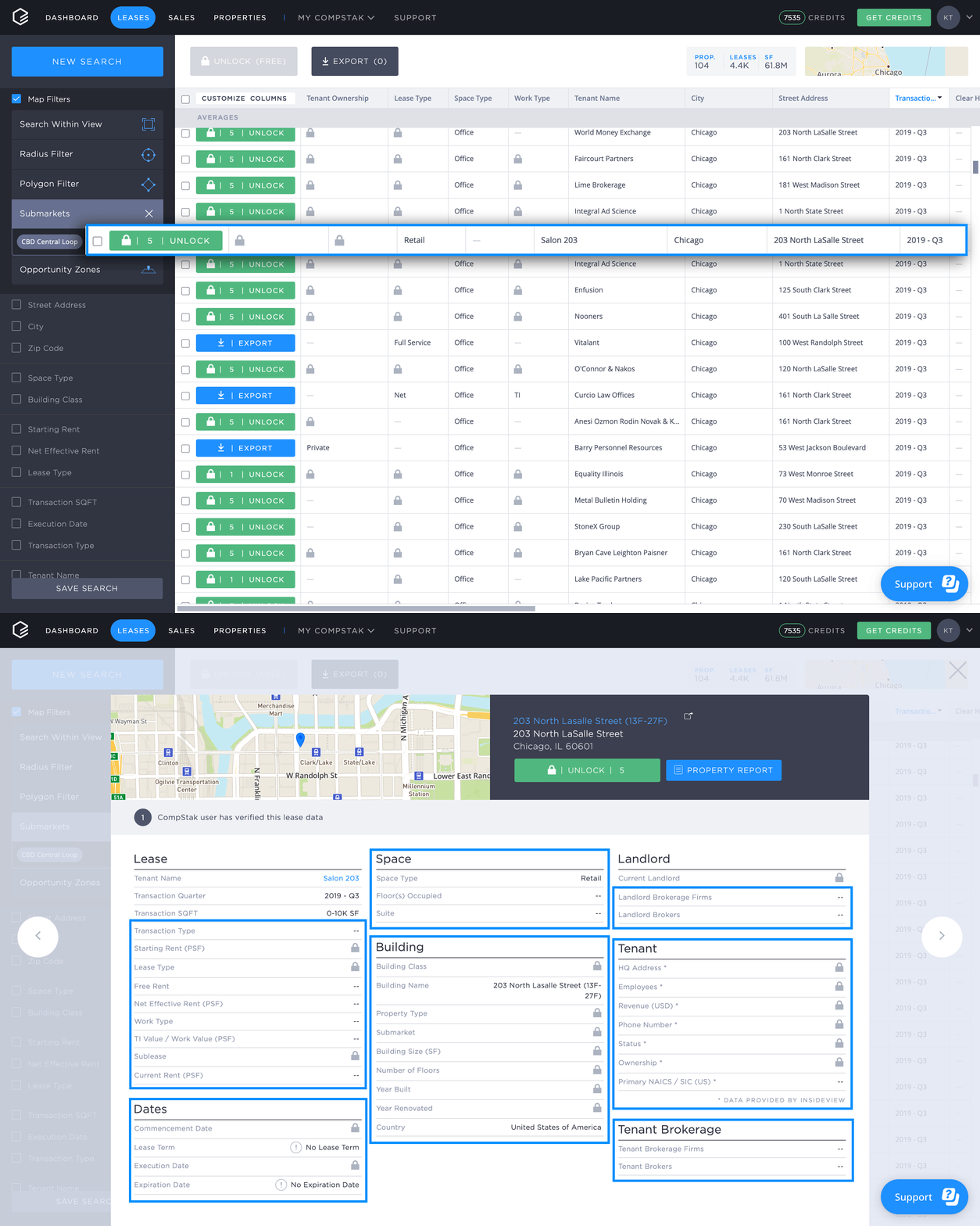
- From the List View, click the comp you want to view.
- In the detailed comp view, scroll down the page.
- Each detail is hidden by either a padlock or double dash. If you see a padlock, the comp has the information, and it will be revealed after you unlock the comp. If you see a double dash, the comp does not have the information.